Introduction: Why AI Bookkeeping Is No Longer Optional for Freelancers
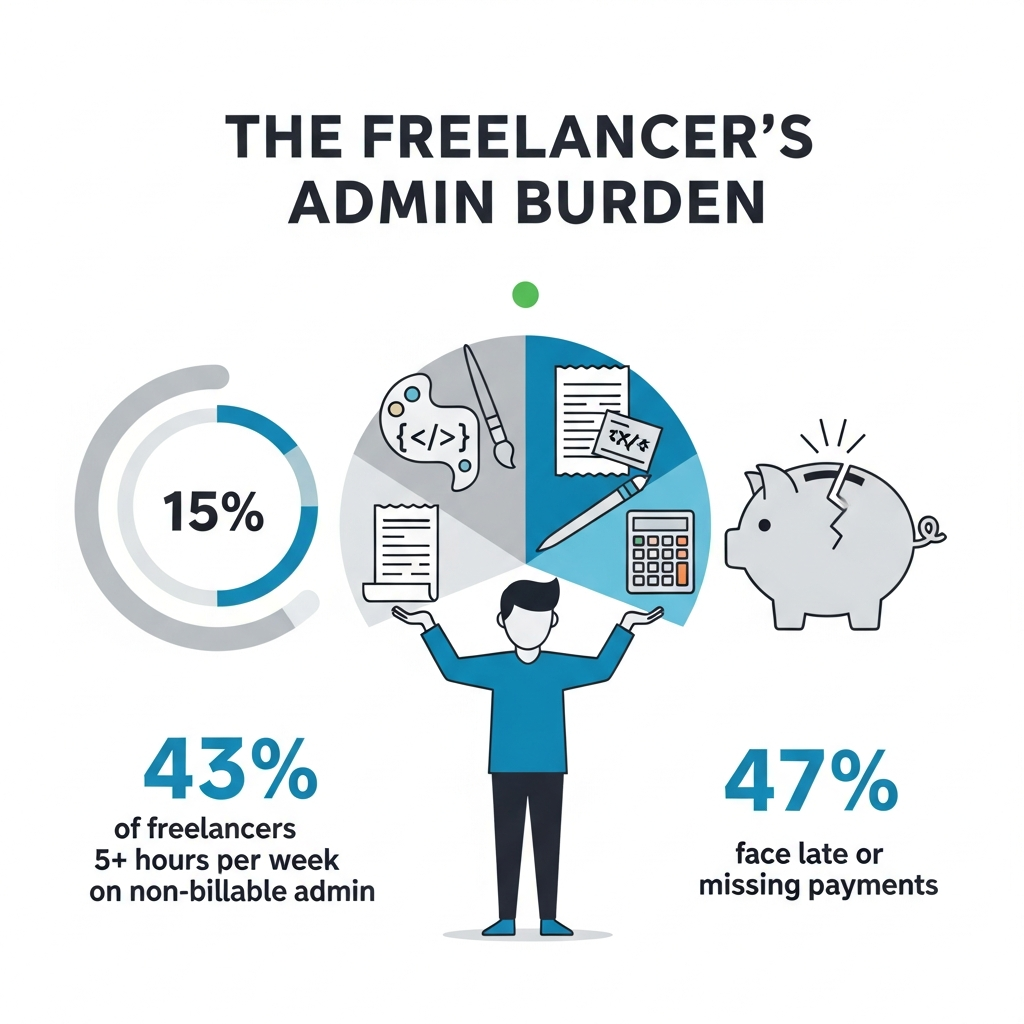
If you’re a freelancer in 2026, you already know the pain: chasing invoices at midnight, scrambling for receipts at tax time, and spending hours on spreadsheets that should take minutes. The financial administration side of freelancing is where ambition goes to die and it doesn’t have to be this way.
Artificial intelligence has fundamentally changed how independent workers manage their money. Modern AI bookkeeping tools don’t just store numbers; they learn your spending habits, categorize transactions automatically, predict your tax liability in real time, and even flag clients who are about to pay late. For freelancers juggling multiple clients, currencies, and income streams, this is transformative.
According to recent industry data, freelancers who use AI-powered accounting software spend up to 75% less time on financial admin compared to those using manual methods or basic spreadsheets. That’s hours reclaimed every week hours you can reinvest in billable work or actual rest.
This guide covers everything you need to know about the top AI bookkeeping tools for freelancers in 2026: what they do, how they compare, what they cost, and which one is right for your specific situation.
1. What Makes an AI Bookkeeping Tool Worth Using in 2026?
Not every tool with “AI” in its marketing actually delivers intelligent automation. Before we review specific platforms, let’s establish what separates genuinely useful AI bookkeeping software from glorified spreadsheets with a chatbot bolted on.

1.1 Intelligent Transaction Categorization
The baseline feature for any serious AI bookkeeping app is automatic transaction categorization. The tool connects to your bank accounts and credit cards, ingests your transaction history, and uses machine learning to label each transaction “software subscription,” “client entertainment,” “home office supplies,” and so on.
What distinguishes a truly intelligent tool in 2026 is adaptive learning. The system should get smarter over time based on your corrections, eventually reaching 95%+ accuracy without manual oversight. Tools like FreshBooks AI, QuickBooks Solopreneur, and Xero Go have all made meaningful advances here.
1.2 Real-Time Tax Estimation
For freelancers, quarterly estimated taxes are one of the most anxiety-inducing financial obligations. The best AI bookkeeping tools now calculate your estimated tax liability in real time as income comes in, breaking it down by federal and state obligations (or VAT/GST for international users). This single feature alone makes premium tools worth their subscription cost it effectively replaces a tax advisor for routine planning.
1.3 Automated Invoicing and Payment Tracking
AI invoicing tools can now generate and send invoices automatically based on timetracked projects, follow up with clients on overdue payments via automated (but personalized) emails, and predict which clients are likely to pay late based on historical patterns. For cash flow management arguably the single most important financial skill for freelancers this is game-changing.
1.4 Multi-Currency and Multi-Client Support
Freelancers in 2026 routinely work with clients across continents. The best AI bookkeeping software handles multi currency transactions natively, applies live exchange rates, and keeps your profit and loss reporting clean regardless of how many currencies are flowing in and out.
1.5 Integration Ecosystem
A great bookkeeping tool should connect seamlessly with the rest of your freelance tech stack: Stripe, PayPal, Wise, Upwork, Toptal, your project management tool, your time tracker. Look for tools with open APIs and native integrations with the platforms you already use.
2. The Top AI Bookkeeping Tools for Freelancers in 2026: Reviewed
Here is a detailed breakdown of the leading platforms, evaluated across features, pricing, ease of use, and AI quality.
2.1 FreshBooks AI: Best Overall for Service Based Freelancers
Best for: Consultants, designers, writers, coaches
Starting price: $19/month
Key AI features: Smart invoice generation, automated late payment nudges, AI expense categorization, profit forecasting
FreshBooks has been a freelancer favorite for years, and in 2026, their AI engine has matured into something genuinely impressive. The platform’s Expense Intelligence layer automatically matches receipts to transactions using computer vision you photograph a receipt with your phone, and the tool reconciles it to the correct bank entry without any manual input.
Their AI-powered Client Health Score is a standout feature: it analyzes each client’s payment behavior and flags relationships that are financially risky before they become a problem. For freelancers with a small client roster where one slow-paying client can wreck your cash flow, this is invaluable.
The dashboard is clean, beautifully designed, and works just as well on mobile as on desktop critical for freelancers who manage finances on the go.
Strengths: Exceptional UI, strong invoicing automation, excellent mobile experience
Weaknesses: Limited inventory tracking (not relevant for most freelancers, but worth noting), slightly pricier than some competitors
2.2 QuickBooks Solopreneur : Best for US-Based Freelancers With Complex Taxes
Best for: US freelancers, self-employed professionals, independent contractors
Starting price: $20/month
Key AI features: Schedule C automation, mileage tracking AI, real time estimated quarterly tax calculator, smart categorization
Intuit’s QuickBooks Solopreneur (formerly QuickBooks Self-Employed, rebranded and significantly upgraded) is the gold standard for US freelancers who want airtight tax preparation. The AI automatically separates personal and business expenses from connected accounts, maps spending to IRS Schedule C categories, and maintains a running total of what you’ll owe at tax time.
The mileage tracking feature uses your phone’s GPS with an AI layer to distinguish business trips from personal ones no more logging every drive manually. At year end, TurboTax integration allows you to export everything to your tax return with a single click.
For freelancers earning over $50,000/year, the time savings on quarterly estimates and annual tax prep easily justify the subscription cost several times over.
Strengths: Best in class US tax automation, seamless TurboTax integration, excellent mileage tracking
Weaknesses: Less useful for non-US freelancers, limited invoicing features compared to FreshBooks
2.3 Xero Go: Best for International and UK-Based Freelancers
Best for: UK, Australian, and international freelancers
Starting price: £16/month (UK)
Key AI features: Bank reconciliation AI, receipt capture, multi currency management, cash flow forecasting
Xero has long been the preferred accounting platform outside the US, and their Go plan (designed specifically for sole traders and freelancers) packages their AI capabilities in a streamlined, affordable format.
The bank reconciliation engine is best-in-class: it proposes matches between bank transactions and invoices/expenses with remarkable accuracy, reducing reconciliation time by up to 80%. For freelancers operating in multiple currencies, Xero Go handles everything natively and produces reports in your base currency automatically.
Their cash flow forecasting AI projects your bank balance 30, 60, and 90 days forward based on scheduled invoices, recurring expenses, and historical patterns making it far easier to plan for slow months or large tax payments.
Strengths: Excellent international support, superior bank reconciliation, strong cash flow forecasting
Weaknesses: Mobile app lags behind FreshBooks, onboarding curve slightly steeper for non accountants
2.4 Zoho Books: Best Value for Budget-Conscious Freelancers
Best for: Freelancers in emerging markets, price-sensitive solopreneurs
Starting price: Free (up to 1,000 invoices/year); paid plans from $15/month
Key AI features: Zia AI assistant, automated workflows, smart payment reminders, expense categorization
Zoho Books is the dark horse of AI bookkeeping for freelancers. Powered by Zia, Zoho’s proprietary AI engine, it automates a surprisingly rich set of bookkeeping tasks at a fraction of the cost of competitors. The free tier is genuinely useful for new freelancers or those with modest volume.
Zia can answer natural language financial questions (“What were my top expenses last quarter?” “Which client generated the most revenue this year?”), making it one of the most accessible tools for freelancers without a financial background.
The automation engine lets you build custom workflows for example, automatically sending a payment reminder email 7 days before an invoice is due, then a follow-up 3 days after if it’s still unpaid.
Strengths: Exceptional value, natural language AI queries, generous free tier, strong automation
Weaknesses: Customer support response times can be slow, less polished UI than FreshBooks
2.5 Wave with AI Bookkeeper: Best Free Option
Best for: Early stage freelancers, those with simple finances
Starting price: Free (AI Bookkeeper add on: $149/month)
Key AI features: Automated transaction categorization, receipt scanning, AI-assisted bookkeeping reviews
Wave remains the go-to free bookkeeping tool for freelancers starting out, and their AI Bookkeeper add-on which assigns a human-supervised AI to maintain your books is an interesting hybrid model for those who want hands-off management without the cost of a full accountant.
For freelancers with straightforward finances (one income stream, minimal expenses), the free tier with basic AI categorization handles everything adequately. As complexity grows, the paid upgrade options scale accordingly.
Strengths: Free core product, no transaction fees on bank payments, simple setup
Weaknesses: AI Bookkeeper add-on is expensive, limited advanced features on free tier
3. How to Choose the Right AI Bookkeeping Tool for Your Freelance Business
With so many strong options, the right choice comes down to your specific situation. Here’s a decision framework to cut through the noise.
3.1 Consider Your Location and Tax Obligations
Your geography matters enormously. US freelancers should prioritize QuickBooks Solopreneur for its Schedule C automation and TurboTax sync. UK and international freelancers are better served by Xero Go. If you operate across multiple jurisdictions, look for multi currency, multi-tax regime support Xero and Zoho Books lead here.
3.2 Match the Tool to Your Revenue Volume
If you’re billing under $30,000/year with a handful of clients, Wave’s free tier or Zoho Books’ free plan give you everything you need. Between $30,000–$100,000/year, FreshBooks or QuickBooks Solopreneur deliver meaningful ROI on their subscription costs. Above $100,000/year, the time savings from premium AI features justify any of the paid options focus on integration breadth and reporting depth rather than price.
3.3 Prioritize Integration With Your Existing Stack
List every platform where money flows in or out of your freelance business Stripe, PayPal, Upwork, Toptal, Wise, your bank, your invoicing tool. Then check which bookkeeping platforms support native connections to those services. A tool with 10 fewer features but perfect integration with your stack will save you more time than a feature-rich platform that requires manual imports.
3.4 Think About Tax Time, Not Just Day-to-Day
The real ROI of AI bookkeeping for freelancers isn’t the day-to-day automation — it’s what happens in April (or January, for UK freelancers). Tools that produce clean, accountant-ready reports and integrate directly with tax software are worth a significant premium. Evaluate this dimension as carefully as you evaluate the daily UX.
Comparison Table: Top AI Bookkeeping Tools for Freelancers (2026)
| Tool | Starting Price | Best For | Key AI Feature | Tax Integration |
|---|---|---|---|---|
| FreshBooks AI | $19/mo | Service freelancers | Client Health Score | Limited |
| QuickBooks Solopreneur | $20/mo | US freelancers | Schedule C automation | TurboTax |
| Xero Go | £16/mo | International | Cash flow forecasting | HMRC, ATO |
| Zoho Books | Free | Budget-conscious | Zia AI assistant | Regional |
| Wave + AI Bookkeeper | Free / $149/mo | Beginners | Supervised AI books | Basic |
Actionable Next Steps: Getting Started With AI Bookkeeping Today
- Audit your current system. Spend 20 minutes documenting where your financial pain points are late invoices? Tax panic? Unclear profitability? Your pain points should drive your tool selection.
- Start a free trial. Every tool on this list offers a free trial or free tier. Start with one, connect your bank account, and let it run for two weeks before making a commitment.
- Connect your payment processors first. The biggest immediate win from any AI bookkeeping tool comes from connecting Stripe, PayPal, or your bank; this triggers the automatic categorization that saves the most time.
- Review AI categorizations weekly for the first month. The AI needs your corrections to learn. Spending 10 minutes per week reviewing and correcting categories in the first month pays dividends in accuracy for the rest of the year.
- Set up tax estimates from day one. Don’t wait until Q4 to start tracking estimated taxes. Configure your tax settings on day one and let the AI track your liability in real time.
Conclusion: AI Bookkeeping Is the Freelancer’s Competitive Advantage
The best AI bookkeeping tools for freelancers in 2026 don’t just save time, they give you financial clarity that most employees with corporate finance departments don’t have. You’ll know your profitability by client, your effective hourly rate, your tax liability to the dollar, and your projected cash flow for the next quarter all without spending hours in spreadsheets.
For most freelancers, FreshBooks AI or QuickBooks Solopreneur will be the right choice. International and UK-based professionals should look seriously at Xero Go. Budget-conscious freelancers starting out should begin with Zoho Books‘ free tier and upgrade as their business grows.
The right tool is the one you’ll actually use consistently. Start simple, automate incrementally, and let the AI handle the numbers so you can focus on the work that pays you.